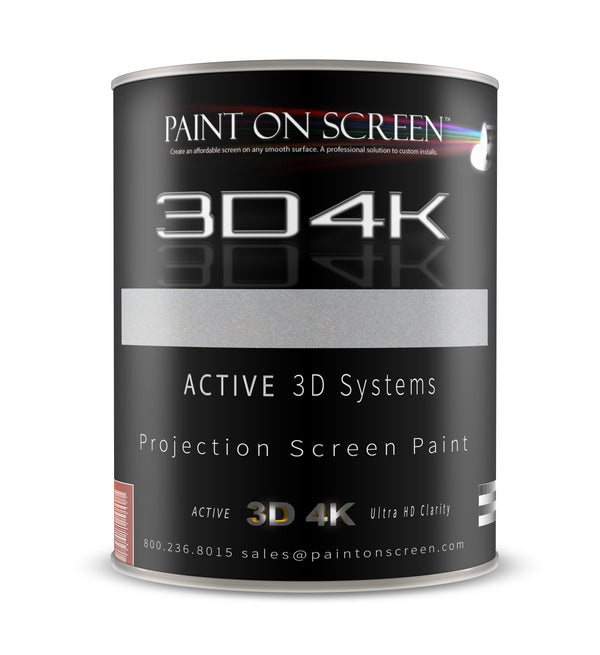
FEATURE COATING
3D4K
High-gain feature surfaces and active-shutter 3D systems.
- Listed gain
- 2.4
- Finish
- Light grey / silver


Projection mapping coatings for walls, floors, sculpted surfaces and immersive worlds. Build your canvas. Bring it to life.
Make it part of the story. 3D projection mapping aligns moving images to real surfaces—from dimensional letters to a sculpted wall or an entire room. Paint On Screen provides the physical projection canvas; your projectors, content and mapping system create the experience.
Understand 3D projection mapping →Compare gain, finish and purpose. 3D4K, Radiant White and S1 Ultimate Contrast lead the feature-wall lineup; EDGE, FLOOR and UST-ALR complete the system.
High-gain feature surfaces and active-shutter 3D systems.
Bright white canvases for exhibits, education and controlled-light spaces.
Contrast-focused feature walls where a grey/silver finish suits the design.

Low-gain surfaces for multi-projector blending and large immersive rooms.
Waterborne two-part epoxy for walkable projection surfaces.

Project-specific coating for ultra-short-throw and ambient-light applications.
Gain values are the current product listings, not a brightness guarantee. FLOOR has no published numerical gain. Match the coating to projector geometry, ambient light and viewing positions; test a sample before a large installation.
A practical guide to projection mapping for immersive rooms, architectural displays, museums, events and creative environments. Learn how geometry, projected light, digital content and the receiving surface work together.
By Paint On Screen · Projection surface planning3D projection mapping is the process of aligning projected images, animation or video with the shape of a physical surface. Instead of treating a projector as a display for a rectangular movie screen, a mapping system treats the room, building, stage set or object as the canvas. The content follows real edges and forms: a line can trace a doorway, a texture can wrap a sculpture, or a moving landscape can continue from a wall onto the floor.
The terms projection mapping, video mapping and spatial projection describe closely related techniques. In this guide, 3D mapping means mapping projected light onto physical environments, rather than geographic mapping or surveying. A 3D model can help the designer understand a surface, but the finished experience is light on a real object. The surface, projector placement, digital content and calibration must work together.

Geometry defines where the image belongs. A flat wall, a curved cyclorama and a building façade each require a different approach to alignment. Light determines whether the audience can see the intended detail. Content supplies the illusion through color, movement, texture and timing. Viewpoint determines how that illusion reads from the audience area. A technically aligned image can still look unconvincing if the animation assumes a different viewing position.
Consider a projected window that appears to open onto a deep room. The physical wall remains flat; perspective, shading and motion suggest depth. That perspective may be especially convincing from a planned viewing zone and less convincing from the side. For an immersive projection room where people move freely, content often favors environments, patterns and transitions that remain effective across a wider audience area.
A basic projection mapping setup needs a suitable projector and lens, a computer or media playback system, mapping controls, the content itself and a usable projection surface. A permanent installation also needs stable mounting, reliable signal distribution, power and a practical way to maintain the system. Larger projects can add media servers, synchronized outputs, audio, show control and calibration cameras. Interactive installations may add sensors or tracking.
Choose the projector around the image size, available mounting distance, surface shape and ambient light. Lens throw ratio relates lens-to-surface distance to image width; use the manufacturer’s lens calculator for the actual model, zoom setting and orientation. Native resolution affects the available pixel detail, while brightness must be considered across the whole illuminated area. A larger image spreads the available light over more surface. No single lumen number is appropriate for every mapped room or building.

Start with the physical environment. Record the surfaces to be covered, their dimensions, edges, openings, changes in depth and likely audience positions. Identify projector mounting points and any objects that could interrupt the light path. A wall-to-floor installation needs attention to the junction between the planes; an architectural projection mapping project needs attention to columns, recesses, windows and protruding details.
For a simple object, photographs, dimensions and an alignment grid may be enough to begin. More complex geometry may justify a measured 3D model, photogrammetry or a scan. The useful result is a digital reference that matches the built surface closely enough for the required effect. Recheck the reference after construction, scenic changes or projector relocation. A carefully prepared model cannot correct for a wall or mount that has moved since it was measured.
Warping adjusts the image geometry so content lands on the intended surface. Masking defines where projected content should appear and where it should be withheld. Geometric correction can compensate for some differences between the projector’s image plane and the physical target, using controls such as corner adjustment or a more detailed correction mesh. These tools are central to both object mapping and architectural video mapping.
Begin by selecting a suitable lens and mounting position, then focus and align with test patterns. Make optical adjustments before relying on extensive digital correction. Warping redistributes the available pixels; it does not create additional native resolution or eliminate focus differences across deep objects. Test fine detail, straight lines and the most oblique parts of the surface, rather than judging alignment only with colorful moving footage.
Multiple projectors can cover a wider or more complex canvas than one projector can reach. Their images commonly overlap. Edge blending gradually adjusts the overlapping image regions so the viewer perceives a continuous picture rather than a bright seam. Geometry must align first, and brightness, color and black-level behavior need attention alongside the blend. An overlap that looks clean on a bright scene may remain visible on dark content.
Epson’s edge-blending guidance separates overlap position, blend width and blend curve, and directs installers to correct mismatched shapes with point correction. The exact controls depend on the projector or media system. Paint can help provide an appropriate, consistent receiving surface, but it does not perform the electronic blend. A coating named EDGE is one part of a multi-projector design; the alignment and image processing still have to be configured and tested.
After calibration, review the complete show from the intended audience locations. Check neutral fields, gradients, dark scenes and moving content across projector boundaries. Keep calibration records and a repeatable startup procedure. If projectors, lenses or surfaces change, the original blend and color settings may need to be revisited.

Projection mapping software determines where an image is sent; the physical surface influences how that image is returned to the audience. Surface color, texture, sheen, curvature and directional reflectance all matter. Uneven preparation can remain visible beneath fine image detail. Glossy areas can create distracting reflections, while mixed surface colors can change the apparent brightness and color balance across a scene.
Projection screen paint makes the coating part of the designed canvas. Gain describes reflected brightness relative to a reference under specified geometry; it is not a universal quality score. A coating with a higher on-axis gain may have different off-axis behavior from a lower-gain option. For an immersive installation, consider audience movement, projector incidence angles, uniformity and overlap behavior together. Selecting a product by its gain number alone leaves out much of the system.
Prepare the substrate and apply the selected projection coating according to its own instructions. Walls, floors and exterior structures have different adhesion, durability and service requirements. A painted surface cannot compensate for inadequate projector output, an unsuitable lens, excessive ambient illumination or poorly matched content. Evaluate a representative sample under the actual projector and viewing conditions before committing a large installation.

Ambient light adds illumination to the receiving surface even where the projector is trying to show black. This raises the apparent black level and reduces visible contrast. Control unwanted light wherever practical: consider fixtures, daylight, spill from adjacent displays and reflections from surrounding finishes. A projector’s stated contrast ratio alone does not describe the contrast the audience will see in a lit room.
For early planning, screen area and a reference gain can be combined with projector lumens to estimate brightness in foot-lamberts or nits. Such estimates are starting points. Lens settings, calibration, operating mode, geometry, overlap and other losses change delivered performance. Evaluate the image from the center and edges of the audience area, including standing viewers and raised seating. Our brightness and viewing-cone tools can help explore those relationships before the installation is finalized.
Explore brightness & viewing tools →
Effective 3D mapping content is composed for the physical target. A generic video can provide atmosphere, but a mapped sequence can respond to the actual geometry: lines follow architectural edges, a color field travels between surfaces, or a texture reveals the shape of an object. Use motion, scale and timing to guide attention. Reserve fine text and critical information for areas where the audience can read them comfortably.
Create test content early. Include alignment grids, neutral fields, gradients and representative dark scenes alongside the final creative work. Check playback timing, frame consistency and audio synchronization when those elements are part of the experience. An interactive projection mapping system adds another design problem: the relationship between the visitor’s action and the visual response. Test that response with people in the actual space.

Immersive rooms and digital art installations use wall projection, floor projection and sometimes overhead imagery to place the visitor inside the composition. Museums and visitor attractions can use video mapping to reveal stories on objects, models and scenic environments. Learning spaces can combine large images with demonstrations or exhibits. Each setting benefits from content designed around the visitor’s movement and attention.
Architectural projection mapping turns façades and structures into temporary image surfaces. Events, concerts and stage productions can coordinate mapped scenery with lighting and sound. Retail displays and product launches can emphasize an object’s form without attaching a conventional display to it. Walkable floor plans are another practical use of floor projection: the essential requirement is accurate scale and alignment, rather than a simulated three-dimensional floor.
The common principle is a deliberate relationship between projected light and a physical place. A small tabletop mapping experiment and a large multi-projector exhibition share that principle, even though their engineering, content budgets and maintenance needs differ substantially.

The six coatings featured below address different projection mapping requirements. 3D4K, Radiant White and S1 Ultimate Contrast are common starting points for image surfaces, with selection guided by the projector, room light and audience geometry. EDGE is intended for multi-projector blending applications. FLOOR is the dedicated floor coating, while UST-ALR addresses ultra-short-throw projection requirements.
A complete environment may use different coatings on different surfaces. For example, a wall-to-floor project may combine EDGE on the wall with FLOOR underfoot, while another design uses a different screen coating for a separate viewing zone. The four-product 3D Mapping Suite builder is a convenient way to configure a project package; it does not mean every installation needs all four products. Compare the live product details and application documents, then select the quantities and configurations that fit the project.
Define the experience and audience first. Measure the physical canvas and identify the light conditions, viewing zones and access requirements. Plan projector positions and lenses, then create a test layout before committing to the complete system. Select and prepare the receiving surfaces, using sample areas to evaluate finish, image quality and installation method.
Next, build content around the measured geometry. Install the projectors securely, focus them, align the images and apply the required masks and warps. For multiple projectors, complete overlap alignment, blending and color matching. Test the whole experience with representative content and real audience positions, then record the settings and maintenance procedure.
Start small when the geometry or surface is unfamiliar. A useful prototype answers specific questions: Can the lens cover the surface from the available location? Will people cast shadows into critical content? Is the image uniform across the audience zone? Does the finish support the intended use? Resolving these questions early is more valuable than adding visual complexity to an untested setup.
Explore the supplied Planet Word exhibit and dimensional presentation-wall photography. See how content follows physical shapes, scale and texture.

Curves. Circles. Layers. A mapped surface becomes part of the content, while the underlying finish helps shape the projected image.
Plan a surface like this →


Installation photographs supplied by Paint On Screen. Exact coating assignments and project-specific configurations are not identified for every pictured surface.
Configure a coating package from 3D4K, EDGE, FLOOR and UST-ALR. Each selection remains a separate Shopify cart item, with its own finish and quantity.
Send the surface dimensions, projector models and venue lighting. We will help you choose a coating system before you commit.
800.236.8015Answered live · Monday–Friday, 10 AM–5 PM EST
sales@paintonscreen.comTalk with our team about your projection project.